

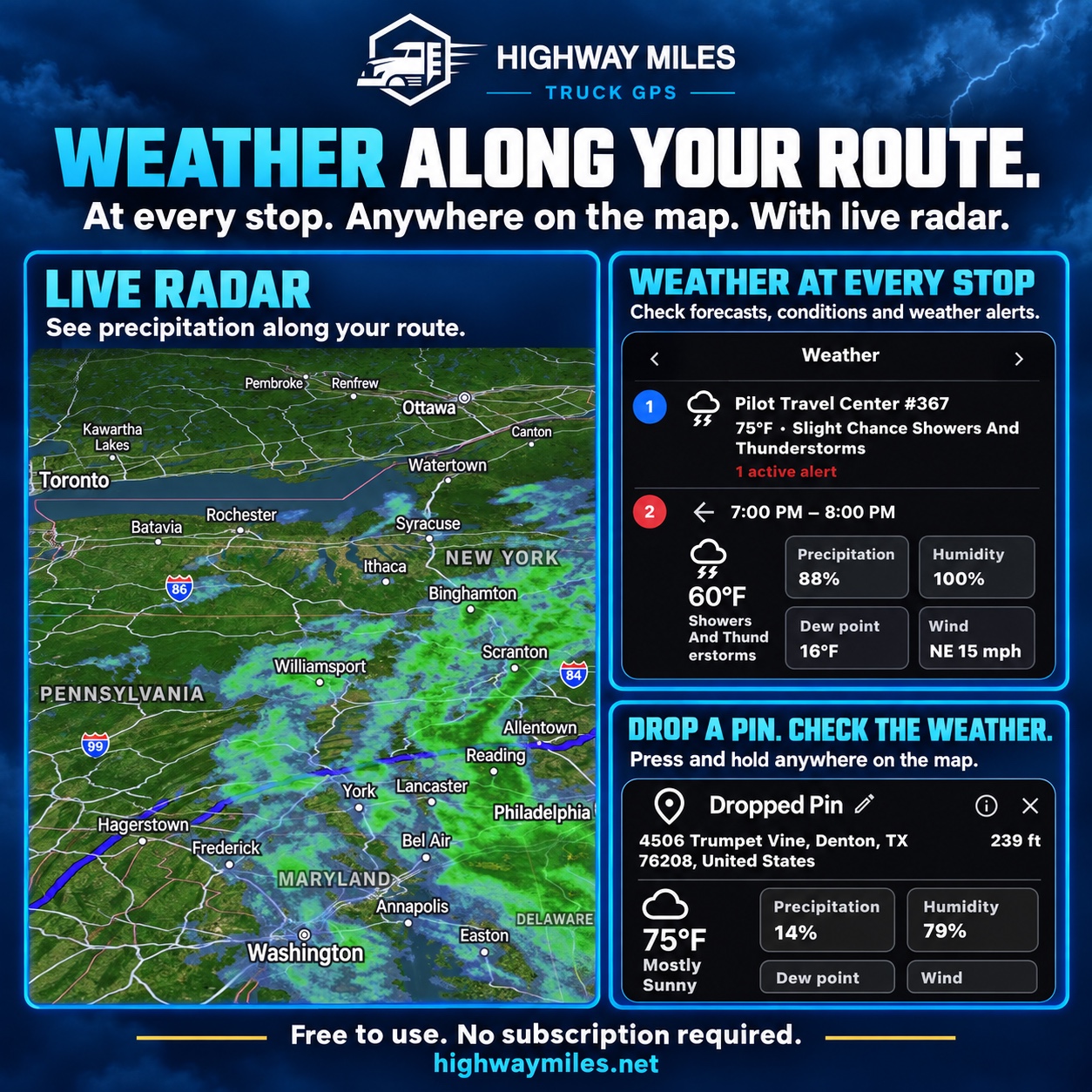
Route-based weather

Truck weather radar and forecasts along your route

Highway Miles places available weather radar within the truck navigation experience. Review rain, thunderstorms, snow, and changing conditions around the route without repeatedly moving between navigation and a separate weather app.

For truck drivers, weather preparation includes the pickup, delivery, fuel stop, and the miles between them. Compare radar along the route with forecasts at stops, then review official warnings before deciding when to depart or take a break.

Full-featured commercial truck navigation. Free to use. No navigation subscription required.

Download on the App StoreGet it on Google Play

Free ad-supported phone navigation. Optional $5.99/month Ad-Free subscription. Separately licensed integrations and future paid features are outside this phone plan.

Weather radar along a truck route with forecasts at stops and at a dropped pin
Radar, stop forecasts, and location weather support different parts of trip preparation. Check timestamps and current official warnings.

Watch the truck weather controls in use

These chapters open the Highway Miles demonstration on YouTube. Practice while safely parked; review your truck profile before calculating a route, even though the video shows that screen later.

  1. 3:05 — Turn on weather radar

    Open the weather controls and review available precipitation around the route.

  2. 4:53 — Check conditions at your stops

    Compare available weather at planned stops with the conditions along the trip.

Read the full tutorial and watch the 5:26 video. Fresh radar and forecasts need connectivity and available coverage. Check timestamps and official warnings before making weather decisions.

Weather is included in the free ad-supported phone plan. Review available road-condition information alongside the forecast.

What it includes

Truck-focused capabilities

  • Weather radar integrated with navigation
  • Rain, thunderstorm, and snow information
  • Conditions around the planned truck route
  • Weather context alongside available traffic and road information
  • Trip review before entering changing conditions

How to use it

From planning to the road

  1. While safely parked, open your planned truck route and its weather controls.
  2. Enable radar, check the available information and timestamps, then review forecasts at your planned stops.
  3. Compare official warnings and current road information before deciding whether to delay, stop or review another route.

What drivers need to know

A closer look at how this fits the trip

Use radar to review precipitation along the route

Open the weather controls and enable radar to see available precipitation information with the route map. Look beyond your current location to the areas you expect to travel through.

Radar is weather information, not a guarantee that a road is passable. Coverage, refresh timing, and connectivity can affect what is shown.

Check the forecast at your stops

Open weather for a planned stop to review available conditions, hourly forecasts, and alerts. Consider the weather expected around arrival, not just the weather where you are now.

Forecasts are estimates. Use official current warnings and carrier procedures when deciding whether to stop, delay, or change the trip.

Inspect another location with a dropped pin

While parked, press and hold a point on the map and review its available weather details. This can help you assess a potential stop or another area along the trip.

This feature provides weather radar and forecasts for trip planning. It is not vehicle collision radar, a radar detector, or a guarantee of severe-weather avoidance.

Questions drivers ask

Frequently asked questions

Does Highway Miles show weather along a truck route?

Yes. The app combines available weather radar with the route map and offers weather information at stops and selected map locations.

Is weather radar included with free truck navigation?

Yes. The released phone weather features are included in the free ad-supported plan. Live information depends on a connection and coverage.

Does weather data keep working without cell service?

Fresh radar, forecasts, and alerts may require a data connection. Downloaded maps do not provide live weather updates.

See how Highway Miles navigation features work together from route planning through arrival.

Full-featured commercial truck navigation. Free to use. No navigation subscription required.

Download on the App StoreGet it on Google Play

Free ad-supported phone navigation. Optional $5.99/month Ad-Free subscription. Separately licensed integrations and future paid features are outside this phone plan.