GPS for CDL drivers

Commercial truck navigation for CDL drivers

Highway Miles is a commercial truck routing app built around the vehicle being driven. Create a profile using height, weight, length, axle count, trailer configuration, cargo, and hazmat settings.

Use the same experience to plan stops, review commercial routing information, and navigate with turn-by-turn voice and lane guidance plus available weather, traffic, road, and service information.

Full-featured commercial truck navigation. Free to use. No navigation subscription required.

Download on the App StoreGet it on Google Play

Free ad-supported phone navigation. Optional $5.99/month Ad-Free subscription. Separately licensed integrations and future paid features are outside this phone plan.


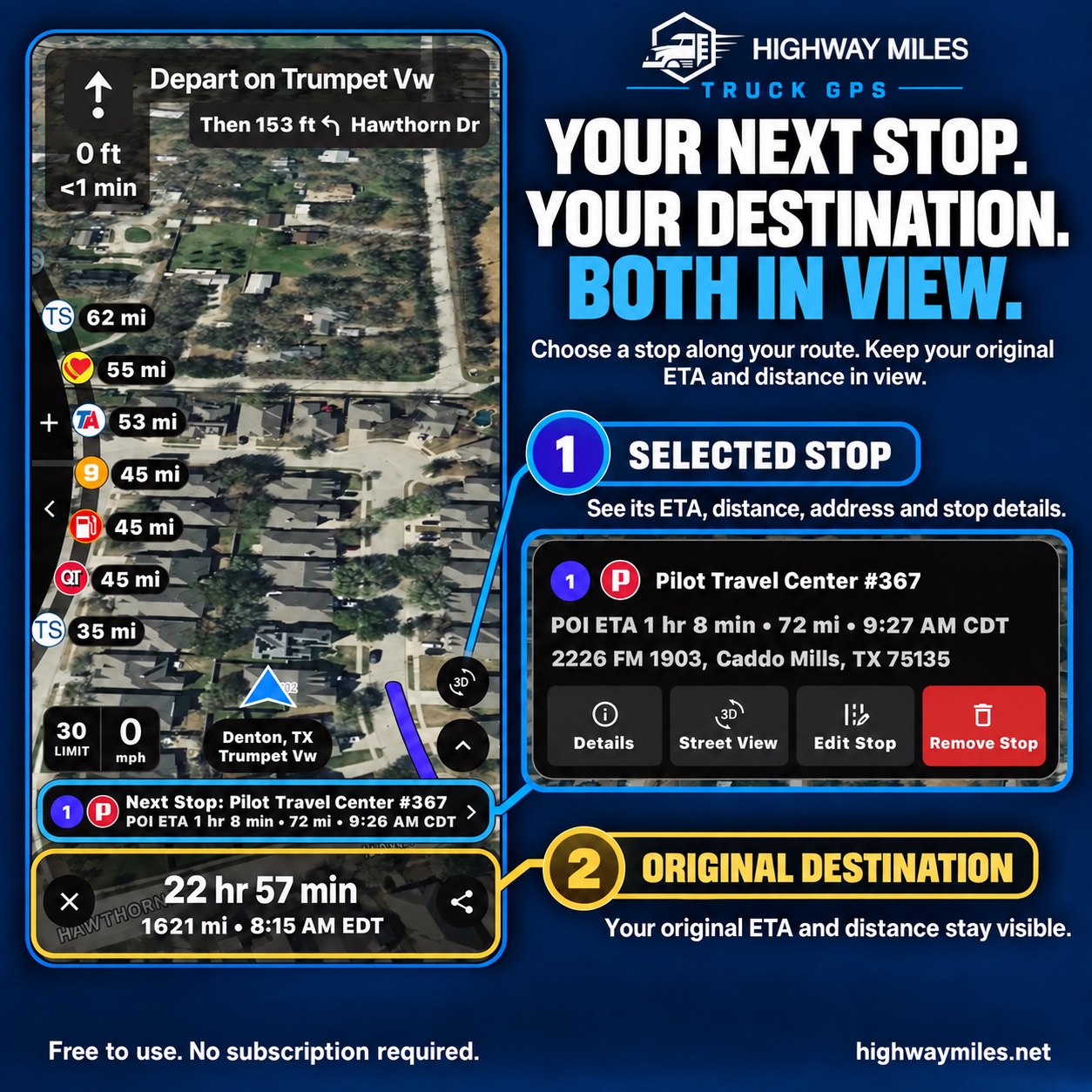
A selected truck service stop and the original destination with separate arrival information
The selected POI and original destination remain distinct. Read the location label beside each ETA.

What it includes

Truck-focused capabilities

  • Detailed commercial vehicle profiles
  • Trailer, cargo, and hazmat settings
  • Truck-specific route planning
  • Turn-by-turn voice and lane guidance with Spanish language support
  • Street View, route conditions, low-clearance context, and truck services

How to use it

From planning to the road

  1. Enter accurate truck, trailer, cargo, and load details.
  2. Plan and inspect the proposed commercial route.
  3. Navigate while continuing to monitor roadway information.

What drivers need to know

A closer look at how this fits the trip

Before departure: match the vehicle to the work

Commercial navigation begins with the actual truck, trailer, and load. Review dimensions, weight, axles, cargo, and supported hazmat settings when equipment changes. Build the complete stop list and compare the route with dispatch instructions.

During the trip: keep the information connected

Use turn-by-turn voice and lane guidance alongside available traffic, low-clearance information, and weather. Upcoming truck-focused places help with fuel and rest planning.

Make route and interface changes while safely parked. A route suggestion is not a substitute for posted controls or current official instructions.

At the next stop: verify the approach

Review the address, available facility details, and Street View before arrival. Confirm truck entrances and check-in instructions with the facility when needed.

Keep the selected service stop separate from the original destination when reading arrival times. GPS and imagery cannot establish that a particular entrance is currently open or suitable.

Questions drivers ask

Frequently asked questions

How is commercial navigation different from passenger-car directions?

Commercial route planning uses truck-profile details such as dimensions, weight, axles, trailer, and supported cargo restrictions. The driver must still verify the route and follow posted controls.

Is Highway Miles intended for regional and multi-stop delivery work?

Highway Miles supports commercial driver workflows with unlimited stops, stop reordering, route review, and phone navigation. It does not replace dispatch instructions or compliance systems.

See how Highway Miles navigation features work together from route planning through arrival.

Full-featured commercial truck navigation. Free to use. No navigation subscription required.

Download on the App StoreGet it on Google Play

Free ad-supported phone navigation. Optional $5.99/month Ad-Free subscription. Separately licensed integrations and future paid features are outside this phone plan.