Truck, RV or Car? Choose the Right Highway Miles Mode Before You Drive
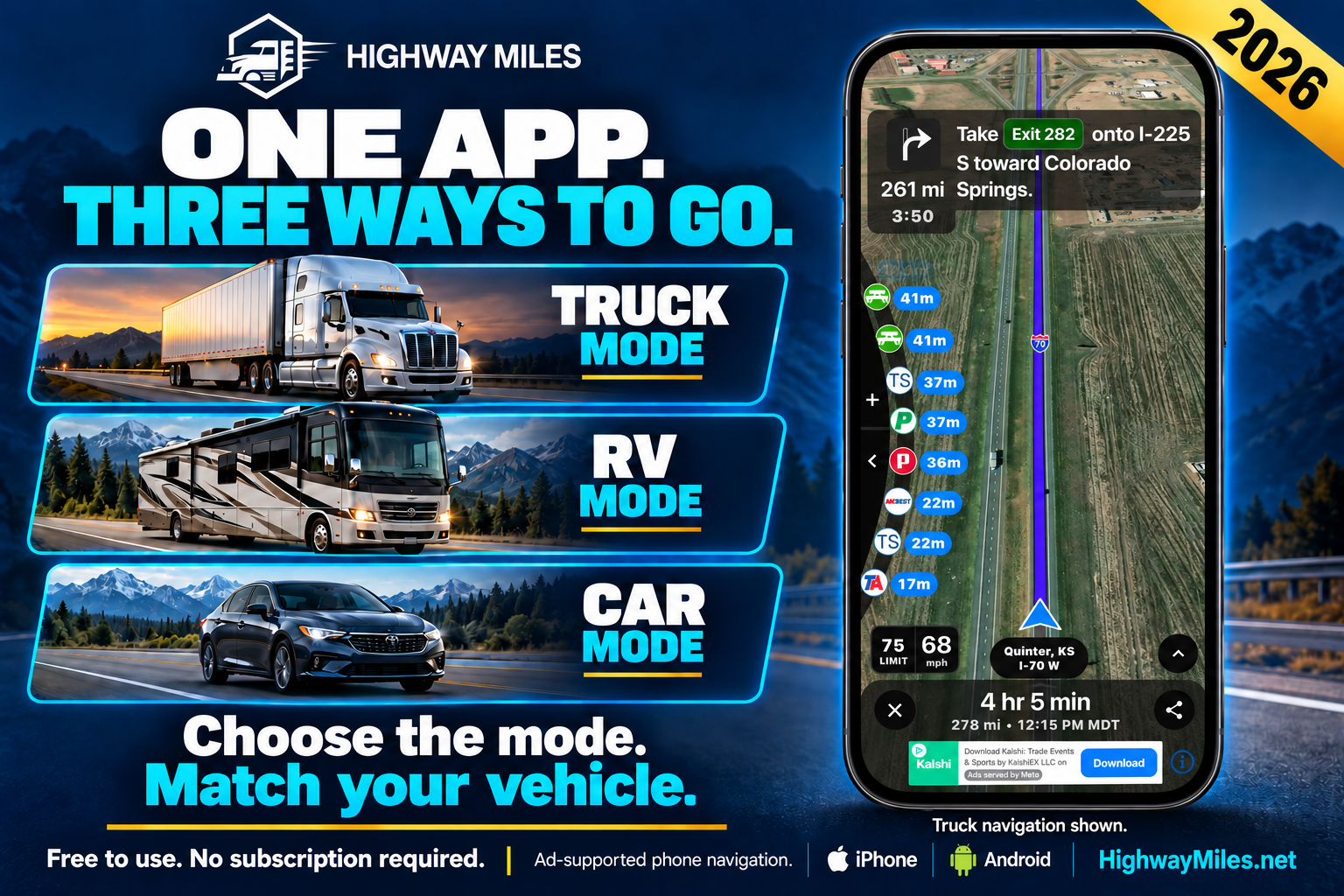
One familiar app for different vehicles, with a fresh profile check whenever your trip changes.
Choose the mode that matches your vehicle. Promotional illustration; truck navigation shown.
Your work truck, your RV and your car can take you to the same town without needing the same route. The vehicle changes what you need to consider: road restrictions, overall height, towing configuration, access to a stop and where you can park.
Highway Miles includes truck mode, RV mode and car mode. That flexibility is one reason we believe it stands out among the GPS navigation apps worth considering in 2026. The useful habit is simple: choose the mode for the vehicle you are driving today, then review the route.
Truck mode: start with the actual vehicle and load
For a commercial trip, begin with truck mode and check the supported vehicle-profile fields. These can include dimensions, weight, axles, trailer configuration, cargo and applicable hazmat settings.
The profile gives the route planner information a passenger-car route does not account for in the same way. A truck’s height matters when reviewing available clearance information. Its weight and configuration matter when assessing whether a proposed route is appropriate.
Review the details when you change equipment or loads. A profile that matched yesterday’s truck and trailer should not be assumed to match today’s setup.
Highway Miles’ truck GPS features bring vehicle-profile routing together with voice and lane guidance. Still, follow current signs, permits and restrictions. A suggested route does not replace the driver’s judgment or establish legal access.
RV mode: account for the whole traveling setup
Choose RV mode when traveling in a motorhome or towing an RV. Enter the dimensions and weight requested by the RV profile using the rig’s actual travel configuration.
Overall height includes equipment above the roofline. Air-conditioning units and other fitted equipment can matter. Check the appropriate overall length and weight for your setup, rather than relying on a model name or an unloaded brochure figure.
The destination deserves attention, too. Reaching a campground address does not establish that the entrance, internal roads or assigned site will accommodate your rig. Confirm those details with the operator.
Our RV navigation guide explains how RV mode and Google Street View support preparation before a travel day.
Car mode: switch when you leave the larger vehicle parked
Car mode makes Highway Miles useful for everyday passenger-car trips as well.
Imagine arriving at a campground in your RV and later taking a separate passenger car to buy groceries. Before planning that second trip, select car mode. When you return to traveling in the RV, select RV mode again and check the profile.
The same habit applies to a professional driver who uses the app in a personal car after work. You can remain familiar with one app while deliberately choosing the correct mode for each trip.
Do not assume that the app has switched modes automatically. Check the active mode yourself while parked.
Keep the destination; review the route again
A saved place can still be useful after you change vehicles. The route to it needs a new review.
A restaurant you visit by car may have no suitable parking for a tractor-trailer. A destination you reach comfortably in a car may require a different approach when towing an RV. Familiarity with the address does not settle those questions.
After selecting the appropriate mode and checking the profile, calculate or recalculate the trip and examine the proposed route. Review the final approach as carefully as the highway portion.
Highway Miles supports multi-stop planning, so you can organize fuel, deliveries or travel breaks around the vehicle you are actually using. Check the order yourself when appointments or other timing constraints matter.
Use Google Street View to investigate the approach
Google Street View adds a road-level perspective where imagery is available. Satellite imagery adds an overhead view of the property and surrounding roads.
Together, they can help you identify questions before a trip: Which driveway is the entrance? Is the destination pin on the correct side of the property? Where does the facility expect trucks or RVs to arrive?
Use our Street View and satellite-map planning guide for a practical workflow. Imagery can be dated or incomplete, so contact the destination when access remains uncertain. Do not estimate clearance from a photo.
A short routine before every vehicle change
Before you start driving, confirm the vehicle mode, check the relevant profile details, review the route and verify access at the planned stops.
This routine is especially useful when several vehicles are part of your week. It turns the convenience of three modes into a deliberate planning habit.
Highway Miles’ released phone navigation features are available on its free, ad-supported plan. The optional $5.99-per-month Ad-Free plan removes in-app advertising.
For a broader look at how the features fit together, read why we believe Highway Miles belongs among the best GPS navigation apps for 2026.
Download Highway Miles, select the right mode and try planning a familiar journey while safely parked.
One app. Three ways to go. Start with the right vehicle.